For designers and small studios
Your finished work.
Your studio’s delivery.
Branded file delivery puts your logo, colour and studio address around the files you hand to a client. SentIt Premium gives you that presentation while keeping the note, previews and downloads in one link.
$2.99 USD/month, plus applicable tax. Review the plan after signing in; choosing this link does not start payment.
What your client receives
A single page with your delivery title, a note explaining what to use, the current files and an expiry notice. Clients can preview supported media, download individual originals, or use Download all within its limits. They do not need a SentIt account.
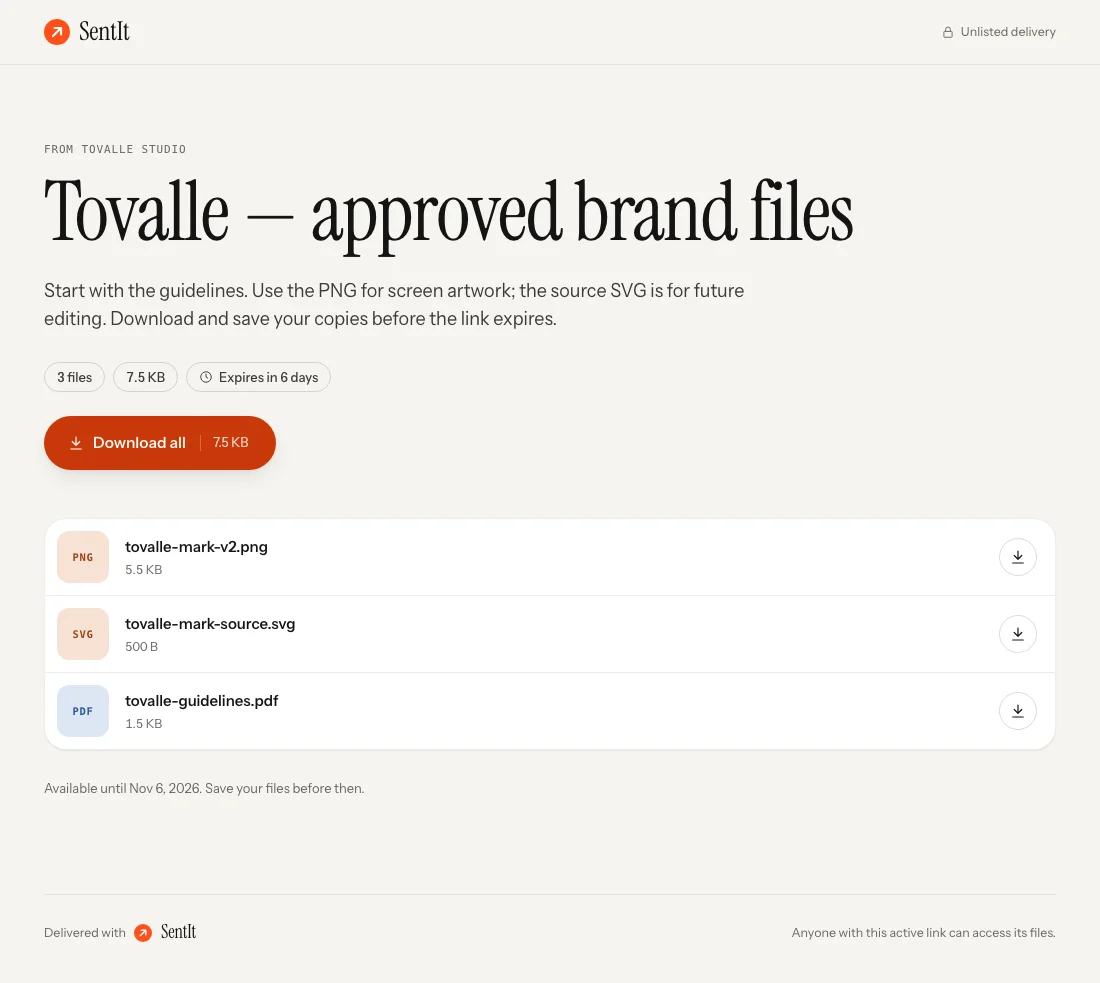
Our fictional Tovalle Studio example hands over a logo export, editable SVG artwork and a guidelines PDF. The captures below show the product’s recipient view with disposable sample files. The brand handoff guide includes the reusable package and its licence.
Free: a clear handoff under SentIt
Premium: your presentation around the same files
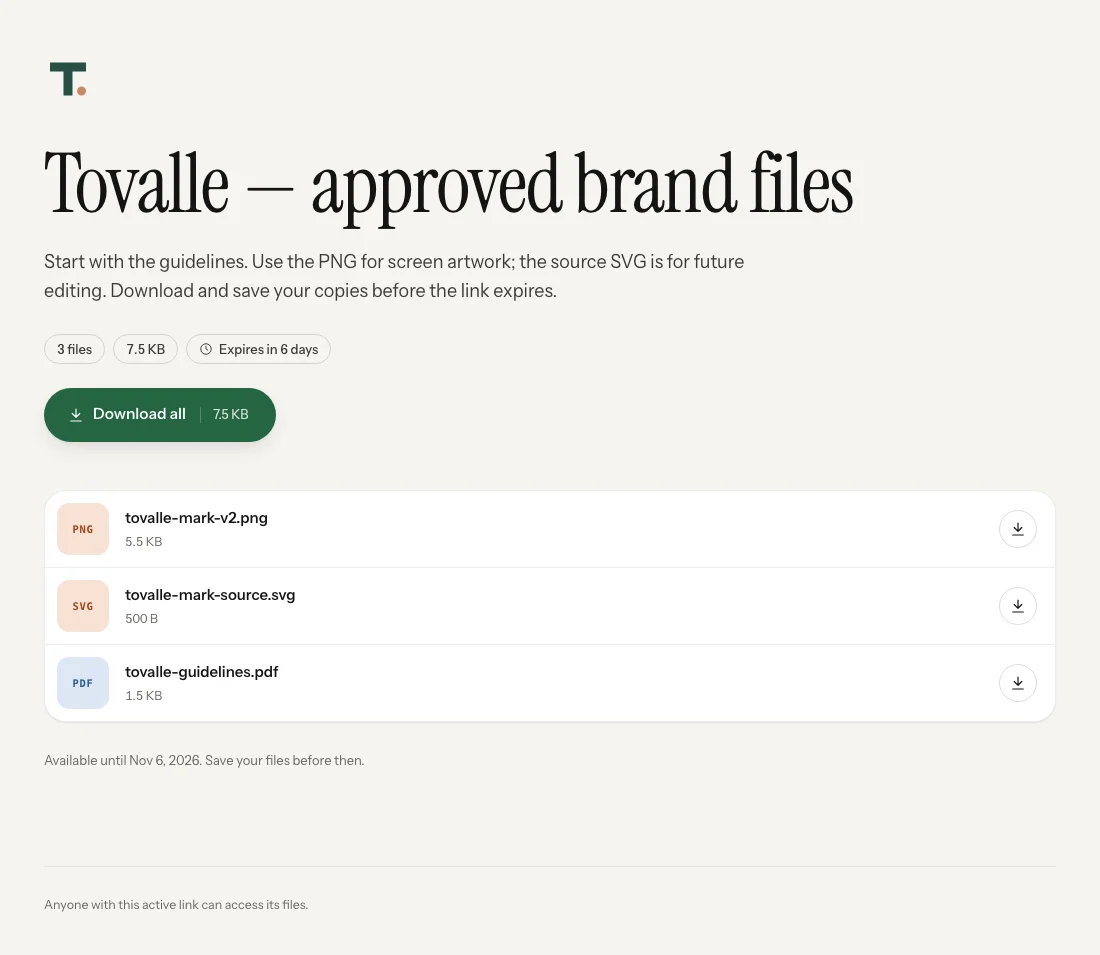
Set up your studio’s branding
- Open Settings → Branding on Premium. Use a sender name the client recognises and upload your studio logo. Preview it against the page background.
- Choose an accent and appearance. The accent colours controls. Automatic follows the recipient’s device; Light and Dark select a fixed appearance. A logo that needs a particular background can constrain that choice.
- Choose whether to show SentIt attribution. Premium can hide it. This changes the presentation, not access to the files.
- Check a recipient link. Settings save as you change them. Review the saved result, filenames, note and download before sending the link to your client.
Use a subdomain you own
Premium supports one verified custom subdomain, such as files.yourstudio.com. In Settings, add the subdomain and copy the DNS records shown into your domain provider. The ownership records prove you control the name; the CNAME routes requests to SentIt. Certificate checks enable a secure HTTPS connection.
Wait until the app reports the domain Active before sharing it. DNS changes and certificate issuance can take time. If your domain uses Cloudflare, the customer CNAME must be DNS-only so SentIt can verify it. Use the exact records displayed in your account.
Once active, your studio address serves your deliveries. The original SentIt address remains usable, so earlier links continue to work. The interactive demo lets you try the appearance of an address; entering a name there does not register or verify a real domain.
Branding and access are separate choices
Without a delivery password, anyone with the active link can open the files, including someone it was forwarded to. A logo or custom domain does not add authentication. Premium password protection is a separate per-delivery choice; a recipient then needs both the link and the password.
Know what clients can preview
Supported original images up to 80 MB open with Fit and Actual size controls when JavaScript is enabled. Browser-compatible audio and video can play in the viewer. A thumbnail does not mean every file is previewable: clients download PDFs, ZIPs and editable source artwork to open in suitable software. Originals remain downloadable when a preview is unavailable.
Leave room for revisions and expiry
Add a replacement or remove a superseded attachment at the same delivery link. Completed additions and removals affect the live package immediately; file reordering saves separately as you move items. Save title, message and expiry edits before asking the client to check again. Cloud attachments do not automatically synchronise. Follow the worked revision to see the recipient’s before and after.
Free links last up to 7 days from first publication; revisions do not restart that window. Premium offers a future expiry date or no scheduled expiry while the subscription continues. Keep your own archive: this is not permanent storage, and files already downloaded cannot be recalled.
Uploads, stored files, daily transfer and Download all have limits on both plans. Connected Dropbox and Google Drive files do not use SentIt storage, but provider access and transfer allowances still apply. See current pricing and full limits.
Prepare the next handoff
Start with the brand identity checklist and sample ZIP, or see how designers and small studios use SentIt. Clear filenames and a useful note do as much work as the branding around them.